Set up Starglass.
Connect your AI app, and it can search official records with Starglass. Each passage comes back with its receipt.
- Start your free trial.
Free for 30 days, then $49 per seat per month. No card required. Your AI app's subscription is separate.
- Verify your email, then turn on the trial from your account page. Installing a plugin doesn't create an account or start your trial.
- Pick your app below and follow its steps.
Choose your app.
In your browserQuick Answer. Nothing to install.
Ask your question in Quick Answer. Sign-in required. Open the Starglass app
Claude CodeInstall the plugin in your terminal.
- Install the plugin.
With the current CLI, run these in your terminal. The plugin includes the connection and the research skill.
claude plugin marketplace add Jeremyaculeus/starglass-plugin claude plugin install starglass-research@ starglass --scope user claude plugin enable starglass-research@ starglass --scope user - Sign in.
Run this in your terminal. In the browser, sign in with your Starglass account and approve read-only access.
claude mcp login plugin:starglass-research: starglass-research Then start a new session in your AI app.
For a bigger question, run /starglass-research:investigate. It asks a few questions and shows a plan you can edit before the long searches start. It isn't hosted Deep Research.
Added this server by hand before? Keep only one connection.
Connected? Try your first search.
CodexAdd the server in your terminal.
Update to the current CLI first.
- Add the server.
Run this in your terminal. Starglass hosts the server, so you don't need an API key.
codex mcp add starglass --url https://aculeus.ai/api/mcp - Sign in.
codex mcp login starglass --oauth-client-registration cimd --scopes profile,offline_access, plugin-research: read In the browser, sign in with your Starglass account and approve read-only access.
- Add the research workflow.
The skill guides the research workflow. It doesn't connect the server or grant access.
npx skills add Jeremyaculeus/starglass-plugin --skill starglass-research --agent codex You need Node.js and npm. Run it in your project, or add
-gfor your user. Then start a new session.
Connected? Try your first search.
ChatGPTAdd a custom app in settings.
You need permission to create custom apps. Availability depends on your plan and workspace settings. Missing these controls? See the current setup guide.
- Create a custom app.
On the web, open Settings, then Apps, then Advanced settings, and turn on developer mode if you see it. Then go to Apps and choose Create. Your workspace admin may need to allow this or create the app.
- Add Starglass and sign in.
Name it Starglass, paste this server URL and choose OAuth.
https://aculeus.ai/api/mcpChoose Scan Tools, sign in with your Starglass account and approve read-only access. When the scan finishes, choose Create.
- Pick Starglass in a new chat.
Choose it from the tools menu, then ask your question.
We tested on a personal Pro account, which doesn't guarantee yours. It's a custom connection, not a directory listing.
Connected? Try your first search.
Another MCP appUntested.
Your app must support Streamable HTTP and OAuth with PKCE (S256), using a client metadata document. Dynamic client registration isn't supported.
https://aculeus.ai/api/mcpRead-only scope: plugin-research:read.
Tools: sources_list, source_search, source_fetch and evidence_check.
Connected? Try your first search.
Try your first search.
Paste this first prompt.
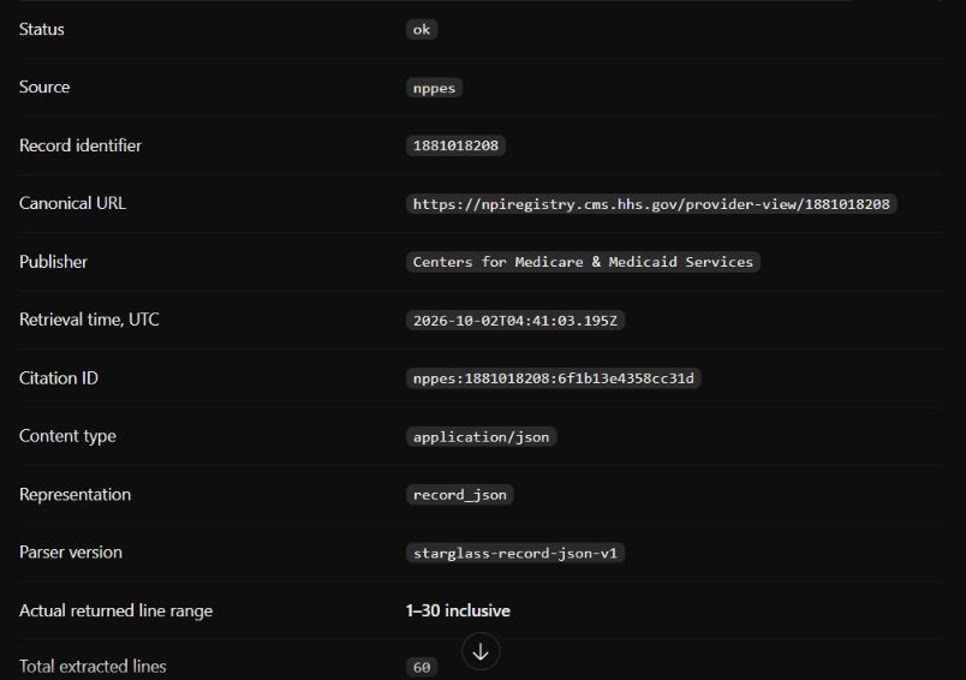
Use Starglass to list its sources and limits. Then search NPPES for Mayo Clinic organizations with one result, and fetch that record's lines 1 to 30 with its citation receipt.You should see a search result, then a passage with its receipt.
- A receipt records what came back and when. It doesn't certify the source's claims.
- Evidence checks test the quotes, fingerprints (sha256) and calculations you supply. They don't test whether a source is true.
- The tools search USAspending, SEC filings, FEC committee registrations, Congress, GovInfo, Senate lobbying disclosures and the NPPES provider registry. Starglass checks availability each session. An empty search doesn't prove a record doesn't exist.
Citation receiptArchived 2 Oct 2026
- Publisher
- Centers for Medicare & Medicaid Services
- Record
1881018208- Retrieved
2026-10-02 04:41 UTC- Lines
- 1–30 of 60
- Source
- npiregistry.cms.hhs.gov/
provider-view/ 1881018208 - Citation ID
nppes:1881018208: 6f1b13e4358cc31d
A registry listing is not proof of a license.
Manage access.
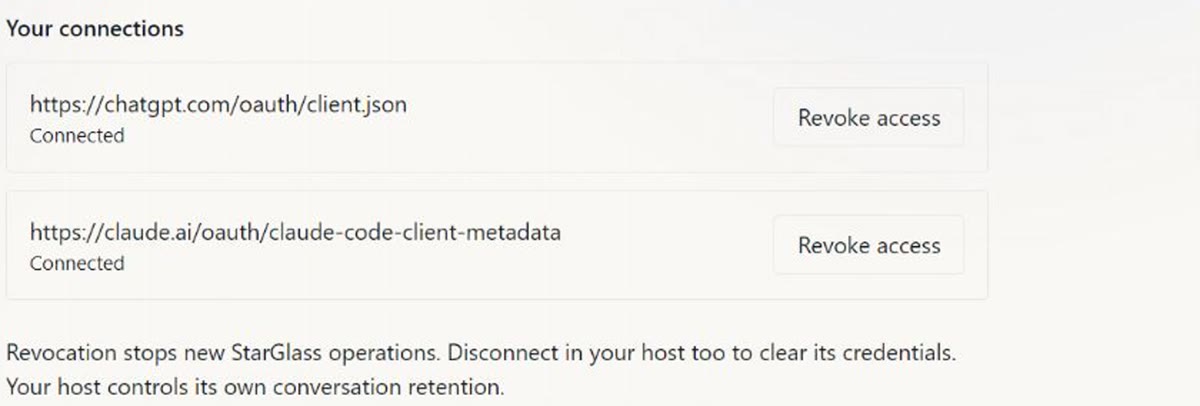
Revoke an app in Research connections. Its next request is refused. Then disconnect it in your AI app to clear its saved sign-in.
Questions.
- Is Starglass in the app directories?
No approved directory listing yet. You connect it yourself with the steps above.
- What did you test?
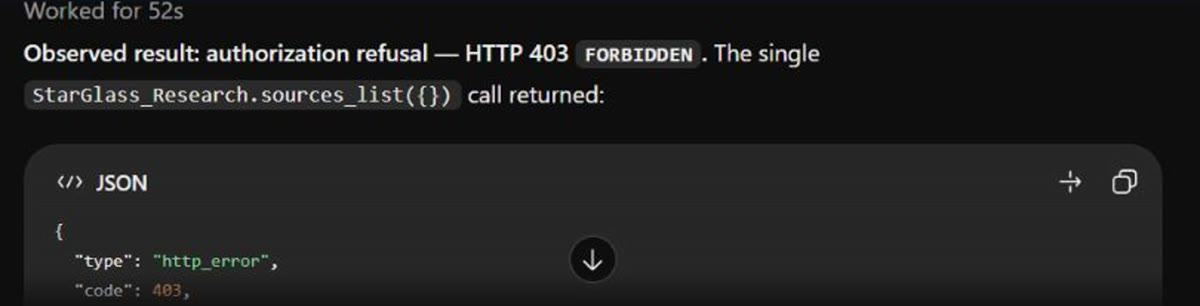
On 2 Oct 2026, we tested Claude Code and ChatGPT. Both signed in, listed sources, searched a public registry and fetched a record with its receipt. After we revoked access, both were refused. On 4 Oct 2026, we tested Codex on a fresh trial account. It signed in, listed sources, ran one search and fetched one record. We didn't test revoking it.
- Why does my app ask me to sign in again?
Connections don't renew automatically yet. Sign in again when it asks.
- What happens if I go over a limit?
Going over never adds a charge. Your AI app's own usage limits still apply. See every limit
- I can't sign in or see the tools.
Sign in with the Starglass account you created. Check on your account page that your trial or plan is on. Then start a new session in your AI app.
- Something else broke.
Send us your app name and the exact error message. Leave out passwords and tokens. Talk to us